
Custom ERP Shipping & Freight Management Solutions
Custom ERP Shipping & Freight Management Solutions
Integrated Shipping Application & ERP Add-On | Parcel, LTL & Custom FTL Workflows
One Shipping Workflow. Your ERP. Your Carriers. Your Requirements.
Shipping and freight management shouldn't require your team to jump between ERP screens, carrier websites, broker portals, spreadsheets, and disconnected shipping applications.
MindHARBOR develops custom ERP-integrated shipping and freight management applications that bring the shipping process together—from freight rate quoting and shipment preparation through carrier selection, booking, labels, Bills of Lading (BOLs), tracking, and freight updates back into your ERP.
Our existing application foundation supports parcel and Less-Than-Truckload (LTL) workflows, including integration with Epicor Prophet 21 (P21). We can extend and adapt that foundation for other ERP systems, shipping providers, and business requirements.
Custom doesn't mean starting from scratch.
We build on work we've already developed, tailoring the features, integrations, and workflows to your operation—without forcing you into a rigid shipping product or unnecessary functionality.
See How the Integrated Shipping Process Works
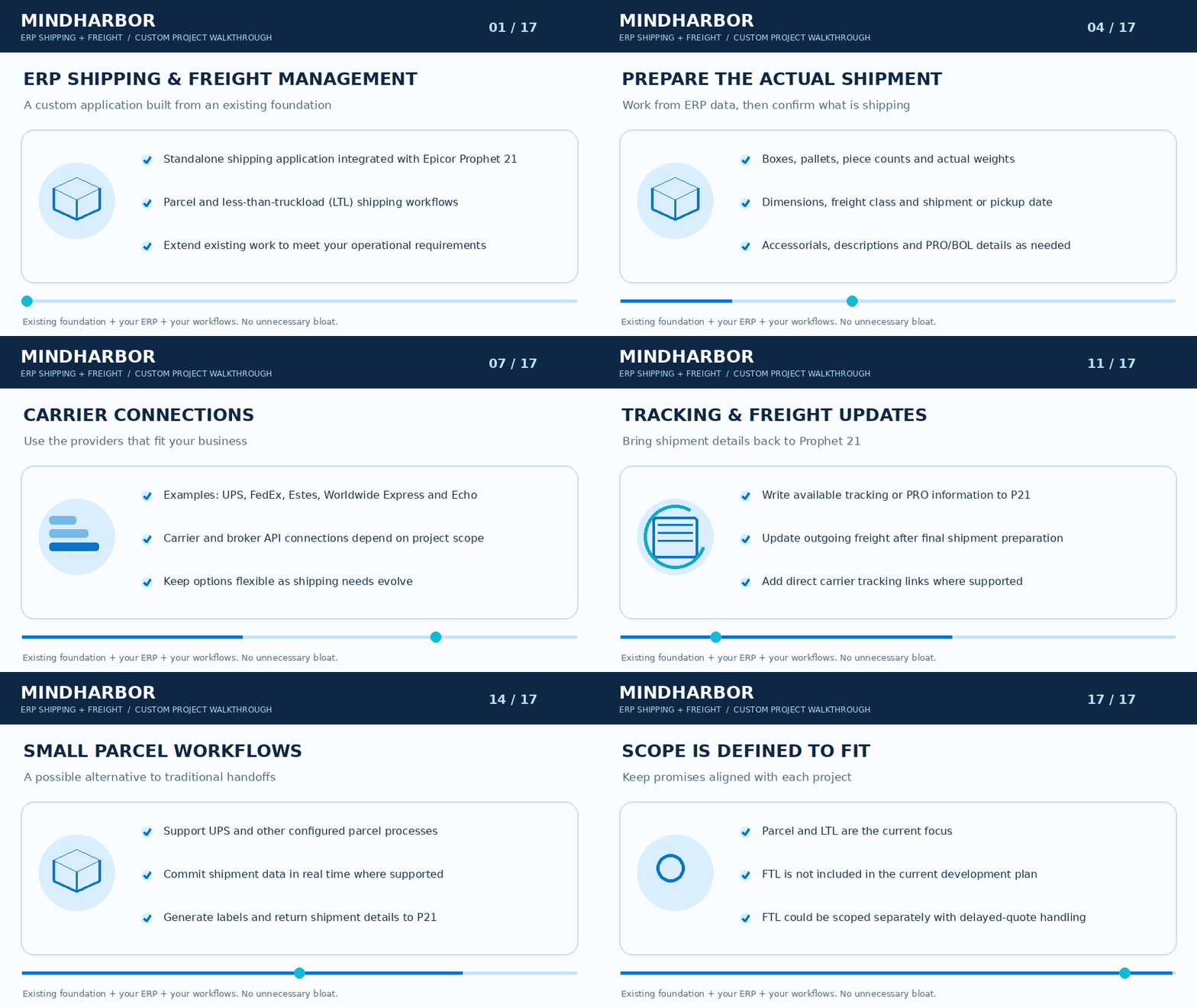
From an ERP sales order or pick ticket to a booked shipment with carrier documentation, tracking, and updated freight information, the application can help streamline the entire process.
The demonstration illustrates a configurable solution foundation. Specific capabilities and integrations are determined during project scoping.
From ERP Order to Completed Shipment
1. Connect Your ERP and Load Shipment Information
Retrieve shipping information directly from your ERP instead of repeatedly entering the same data into separate systems.
Depending on the integration and workflow, available information may include:
-
Sales orders and pick tickets
-
Customer and ship-to details
-
Shipping origin and warehouse location
-
Items, quantities, and line information
-
Available weights and dimensions
-
Assigned shipping methods and carriers
P21 example: Select a sales order, retrieve its open pick tickets, and choose one or multiple pick tickets to include in a shipment.
This provides better visibility into what needs to ship and helps reduce overlooked pick tickets and duplicate entry.
2. Configure Packages, Pallets, and Freight Details
The application uses available ERP information as a starting point while allowing shipping personnel to enter the actual shipment configuration.
Define or adjust:
-
Boxes, packages, and pallets
-
Piece counts, dimensions, and actual weights
-
Freight class and shipment descriptions
-
Pickup or shipment dates
-
Accessorial services
-
PRO and BOL information, where applicable
An integrated density calculator can assist with freight-class determination, with the ability to override suggested values when needed.
The result is freight quoting based on the shipment being prepared—not simply the original sales order estimate.
3. Compare Carrier and Broker Freight Rates
Request rates from multiple integrated carriers and freight providers and review the returned options in one consolidated interface.
Compare available information such as:
Carrier | Broker/Provider | Service | Transit Information | Rate
Instead of visiting multiple carrier websites or broker portals, your shipping team can evaluate available options in one place.
Carrier and broker integrations can be configured around your existing relationships and shipping requirements.
Potential providers include UPS, FedEx, Estes, Worldwide Express, Echo, and others, subject to available APIs and project scope.
4. Select a Service and Book the Shipment
Once the preferred rate and service have been selected, the application can communicate with the supported carrier or broker API to book the shipment.
Depending on the provider, returned information may include:
-
Tracking or PRO numbers
-
Bills of Lading
-
Shipping and pallet labels
-
Booking confirmations
-
Freight rates and costs
-
Additional shipment documentation
Where a carrier does not return certain information electronically, the workflow can allow users to enter the required details manually.
5. Generate, Print, and Store Shipping Documents
Make carrier-generated documents available for printing, storage, and retrieval.
Documents may include shipping labels, pallet labels, BOLs, estimates, and shipment confirmations.
The application can be configured with preferred printers and document storage locations.
Where supported, shipping documents can also be linked back to the originating ERP transaction—making them easier for shipping, operations, and customer service teams to locate.
6. Update Tracking and Freight Information in Your ERP
Once the shipment is booked, applicable tracking numbers, PRO information, and freight costs can be written back to the ERP.
This helps keep shipping information connected to the original transaction.
For supported providers, direct carrier tracking links can also be made available to customer service and other authorized users.
Actual freight costs can be updated after final package weights, dimensions, freight class, and carrier selection are known.
Parcel, LTL, and Custom FTL Shipping Workflows
Small Parcel Shipping
Support parcel shipping workflows, including UPS and other carrier integrations where available.
Capabilities can include shipment processing, label generation, carrier communication, tracking updates, and ERP synchronization.
Depending on the customer's requirements and carrier integration, the application may also provide an alternative to portions of a traditional WorldShip workflow.
Less-Than-Truckload (LTL) Freight
Bring LTL rate shopping, carrier and broker comparisons, shipment booking, BOLs, pallet labels, PRO numbers, and freight updates into a coordinated workflow.
Support shipment-specific weights, dimensions, freight classes, and accessorial requirements.
Full Truckload (FTL) Freight
FTL workflows can be evaluated and developed as a separately scoped customization.
Because truckload quotes may require delayed carrier or broker responses, an FTL workflow could allow users to submit a quote request, save the transaction, return when pricing is available, and then complete booking and update the final freight amount.
FTL functionality is not included in the current parcel/LTL development foundation and would require additional design and development based on the customer's requirements.
Freight Visibility, Quote History & Reporting
Shipping decisions can be more useful when the underlying rate information is retained.
Depending on the project, the application can store:
-
Rates presented during quoting
-
Broker and carrier information
-
Available services
-
Selected rates and providers
-
Actual shipment costs
-
Quote and shipment history
This information can provide a foundation for freight analysis, cost comparisons, reporting, and future process improvements.
Custom Doesn't Mean Starting From Scratch
An Existing Foundation. Built Around Your Business.
MindHARBOR has already invested in developing the foundation for an integrated shipping and freight management application.
Rather than beginning every engagement with a blank screen—or requiring customers to adopt a predefined shipping product—we use that foundation as a starting point.
We work with your team to determine what your operation actually needs.
Keep what fits. Extend what matters. Build what's missing.
Your project may involve:
-
Integrating with your specific ERP
-
Connecting your preferred carriers and brokers
-
Adjusting order, pick ticket, and shipment workflows
-
Adding business-specific freight calculations or rules
-
Automating labels, documentation, and tracking
-
Supporting warehouse-specific processes
-
Extending reporting and freight visibility
-
Developing additional parcel, LTL, or FTL capabilities
You get a solution designed around your shipping operation, not a collection of features your business may never use.
Built for P21. Adaptable to Other ERP Environments.
Our existing application foundation includes integration work with Epicor Prophet 21, including sales order and pick ticket workflows.
MindHARBOR also works across ERP environments including Epicor Kinetic, Eclipse, NetSuite, Infor SyteLine / CloudSuite Industrial, BisTrack, and others.
Adapting the shipping application to another ERP involves reviewing the available APIs, data structures, business rules, and operational requirements. The required integration and functionality are defined as part of the custom project.
We work for the customer—not the software vendor.
The Business Value of Integrated Freight Management
A properly designed shipping and freight workflow can help your organization:
-
Reduce manual entry by reusing ERP order and shipment data
-
Improve freight-rate visibility through consolidated carrier and broker comparisons
-
Streamline shipping operations from preparation through booking
-
Reduce overlooked shipment details with clearer order and pick ticket selection
-
Improve tracking access for customer service and operations
-
Keep shipping documentation connected to ERP transactions
-
Capture more accurate freight costs once shipments are finalized
-
Avoid unnecessary software bloat by implementing only the functionality your business needs
Let's Build Around Your Shipping Operation
Whether you're trying to improve LTL rate shopping, streamline parcel processing, connect additional carriers, replace disconnected shipping steps, or develop a more comprehensive ERP-integrated freight management workflow, MindHARBOR can help.
We'll review your current process, identify what can be reused from our existing foundation, and determine what needs to be configured, integrated, or custom-developed. Let's discuss your shipping and freight requirements.